
Antes, «deshacerse del cable» significaba comprar una simple antena digital. Hoy en día, la transmisión de televisión se ha trasladado casi por completo a Internet. La televisión por protocolo de Internet (IPTV) te permite ver en streaming televisión en directo, deportes y contenidos a la carta directamente a través de una conexión de red activa.
Sin embargo, configurar un sistema de IPTV por primera vez puede resultar abrumador. Muchos principiantes confunden Reproductores de IPTV (la interfaz del software) con Servicios IPTV (el proveedor de contenidos).
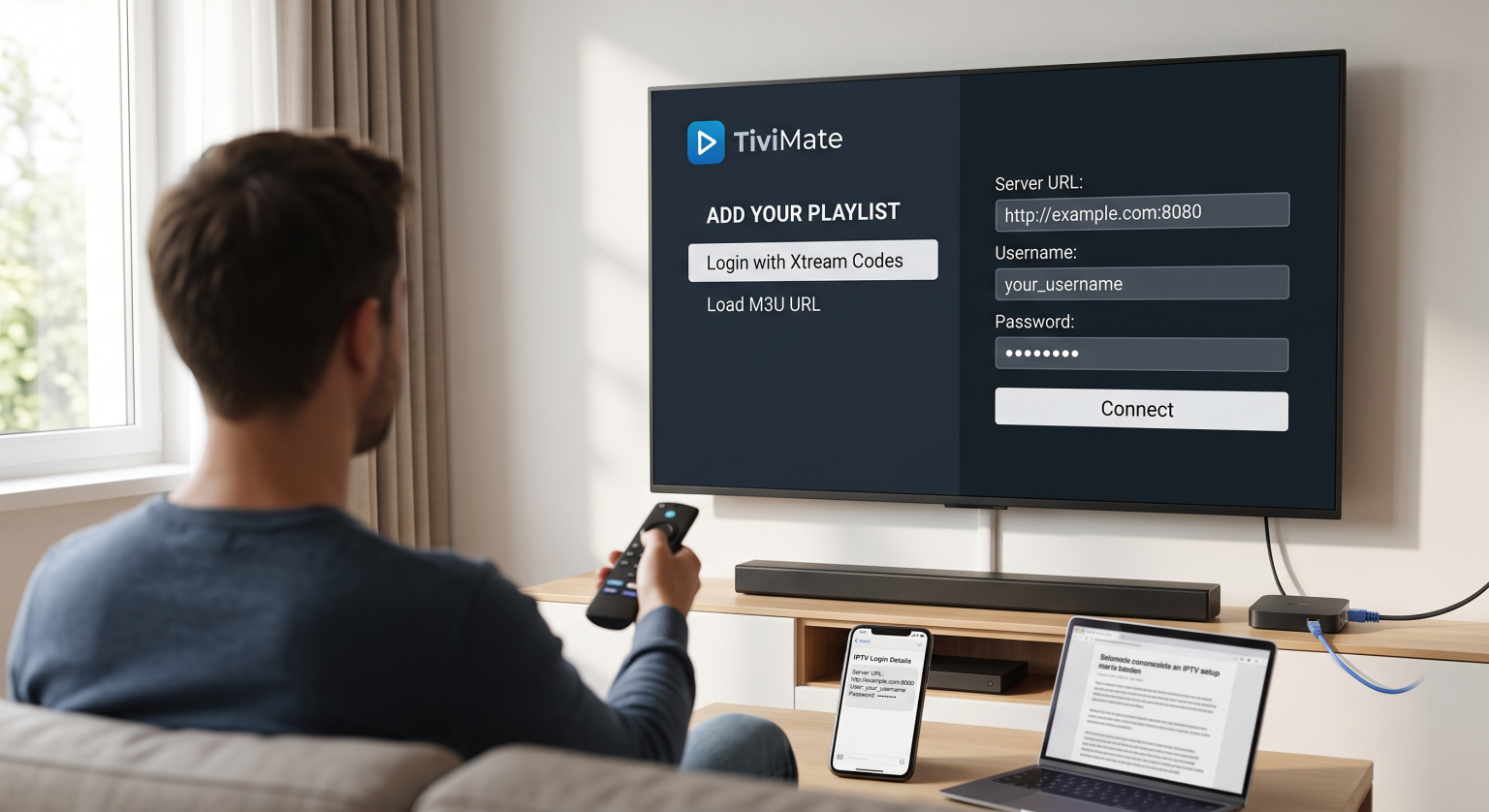
En Reproductor de IPTV No aloja ni ofrece ningún contenido por sí mismo. En su lugar, actúa como un reproductor multimedia digital, de forma muy similar al VLC Media Player o a un navegador web. Para reproducir tus canales, debes introducir en el reproductor las credenciales de la lista de reproducción de tu proveedor (normalmente una URL M3U o los datos de acceso a la API de Xtream Codes).
1. Entender los formatos de listas de reproducción: M3U frente a Xtream Codes
Antes de instalar una aplicación, es necesario comprender cómo leen los reproductores los datos de los canales. Cuando te suscribes a un servicio, tu proveedor suele proporcionarte uno de estos dos formatos de credenciales:
API de Xtream Codes (recomendada)
Este es el método de conexión más estable y fácil de usar. En lugar de introducir una dirección web increíblemente larga, solo tienes que escribir:
URL del servidor / Portal: (p. ej., (http://service-domain.com:8080))
Nombre de usuario: Tu nombre de usuario de la cuenta asignada
Contraseña: La contraseña de tu cuenta
Xtream Codes organiza automáticamente tu guía electrónica de programación (EPG), categorías de canales y vídeo a la carta (VOD) bibliotecas de forma ordenada.
URL M3U / Archivo de lista de reproducción
Un archivo M3U es un formato de lista de reproducción basado en texto que contiene los enlaces directos de streaming y los metadatos de cada canal de tu paquete. Recibirás:
Un enlace web largo (p. ej., (http://service-domain.com/get.php?username=…&type=m3u_plus))
Un archivo .m3u o .m3u8 descargable para subirlo directamente al reproductor
2. Cómo elegir el reproductor de IPTV adecuado para tu dispositivo
Los distintos sistemas operativos son compatibles con distintos reproductores. Elegir una aplicación optimizada para tu hardware específico garantiza una reproducción fluida, un cambio rápido de canales (zapping) y una carga precisa de la guía electrónica de programación (EPG).
| Nombre del jugador | Ideal para | Sistemas operativos compatibles | Características principales | Modelo de precios |
| TiviMate | Experiencia televisiva de primera calidad | Android TV, Fire TV | Interfaz de usuario moderna, multipantalla, servicio de reproducción a la carta, grupos de canales personalizados | Freemium (servicio premium de pago) |
| IPTV Smarters Pro | Versatilidad y principiantes | Android, iOS, Windows, Mac, Firestick | Inicio de sesión sencillo, compatibilidad con múltiples usuarios, reproductor integrado | Gratis (con compras dentro de la aplicación) |
| Jugador IBO | Televisores inteligentes | Samsung Tizen, LG webOS, Android | Ligero, de carga rápida y con activación directa de la dirección MAC | Prueba de 7 días, pago único |
| XCIPTV | Personalización y facilidad de uso | Android TV, Fire TV | Diseño predeterminado limpio, prueba de velocidad integrada, dos reproductores | Gratis |
| OTT Navigator | Usuarios avanzados y filtrado | Android, Firestick | Personalización avanzada de códecs, filtrado de nivel profesional, PiP | Freemium |
3. Instalación paso a paso: Android TV y Amazon Firestick
Dado que los dispositivos de streaming basados en Android constituyen la gran mayoría de las configuraciones de streaming, a continuación se describe el flujo de trabajo estándar utilizando los dos métodos de implementación más habituales.
Método A: Instalación directa a través de las tiendas oficiales de aplicaciones
Abra el Google Play Store (Android TV / Google TV) o el Amazon Appstore (Firestick).
Busca un jugador verificado, como por ejemplo IPTV Smarters Pro o TiviMate.
Seleccionar Instalar o Consigue.
Inicia la aplicación una vez finalizada la instalación.
Método B: Instalación lateral mediante la aplicación Downloader (Firestick / Shield)
Algunas aplicaciones específicas de IPTV no aparecen en las tiendas de aplicaciones habituales debido a restricciones regionales.
Ve a Configuración > Mi Fire TV > Opciones de desarrollador.
Activar Instalar aplicaciones desconocidas para la aplicación Downloader.
Abrir Descargador, escribe el código numérico directo o la URL del reproductor que hayas elegido
.apkarchivo y pulsa Ir.Una vez descargado, haz clic en Instalar, entonces Hecho, y eliminar la instalación
.apkpara liberar espacio en el dispositivo.
4. Configuración del reproductor (guía paso a paso)
Una vez que la aplicación esté en funcionamiento, vincula tu suscripción siguiendo estos pasos de configuración:
[Abrir reproductor] ➔ [Añadir usuario / Nueva lista de reproducción] ➔ [Seleccionar códigos Xtream o M3U] ➔ [Introducir datos del servidor y credenciales] ➔ [Sincronizar EPG y canales]
Iniciar la aplicación: En la pantalla de bienvenida, selecciona Añadir lista de reproducción, Añadir usuario, o Iniciar sesión con la API de Xtream Codes.
Datos de conexión de entrada:
Nombre de la lista de reproducción: Asigna una etiqueta descriptiva (por ejemplo, «Televisor principal»).
URL del servidor: Pega la URL exacta que te haya facilitado tu proveedor (comprueba si hay barras al final, espacios o si es http:// en lugar de https://).
Nombre de usuario y contraseña: Introduce tus datos de acceso con cuidado (se distingue entre mayúsculas y minúsculas).
Descargar datos: Haz clic Añadir usuario o Guardar. La aplicación tardará entre 10 segundos y unos minutos en cargar la lista de canales en directo, las películas, las series y la programación televisiva.
Configurar la EPG (guía de programación): Si tu guía no se rellena automáticamente, ve a Configuración > EPG / Guía de televisión dentro de la aplicación y configura el Frecuencia de actualización de la guía electrónica de programación (EPG) actualizarse cada 24 horas.
5. Optimización del rendimiento y resolución de errores habituales
Cómo evitar el almacenamiento en búfer y los bloqueos
Conecta tu dispositivo por cable: Siempre que sea posible, utiliza un cable Ethernet en lugar de una conexión Wi-Fi de 2,4 GHz. Si es imprescindible utilizar el Wi-Fi, cambia a la banda de 5 GHz.
Ajustar el tamaño del búfer: En la configuración de reproducción de tu reproductor, aumenta el búfer de transmisión de Ninguno/Pequeño a Medio o Grande (de 3 a 5 segundos). Esto permite que la transmisión pueda hacer frente a breves caídas de rendimiento de la red.
Decodificación por hardware frente a decodificación por software: Si un canal se ve en negro pero se oye el sonido, ve a los ajustes del decodificador de tu reproductor y cambia entre Hardware (HW) y Software (SW) decodificación.
Cómo solucionar el error “Error al recargar la lista de reproducción” o los tiempos de espera de conexión
Comprueba bien la fecha de caducidad y los límites de dispositivos activos con tu proveedor.
Comprueba que tu proveedor de servicios de Internet (ISP) no esté bloqueando los puertos de transmisión multimedia.
Reinicia tanto el router como el dispositivo de streaming para borrar las cachés DNS locales.
Reflexiones finales
Configuración de un Reproductor de IPTV Es un proceso sencillo una vez que se separa el software del reproductor multimedia de la fuente de la lista de reproducción. Eligiendo una aplicación adecuada para tu sistema operativo —ya sea TiviMate, para interfaces de televisión específicas, o IPTV Smarters, para disfrutar de flexibilidad en distintos dispositivos— y utilizando el API de Xtream Codes, disfrutarás de una experiencia de streaming fluida, similar a la de la televisión por cable, en tu sistema doméstico.